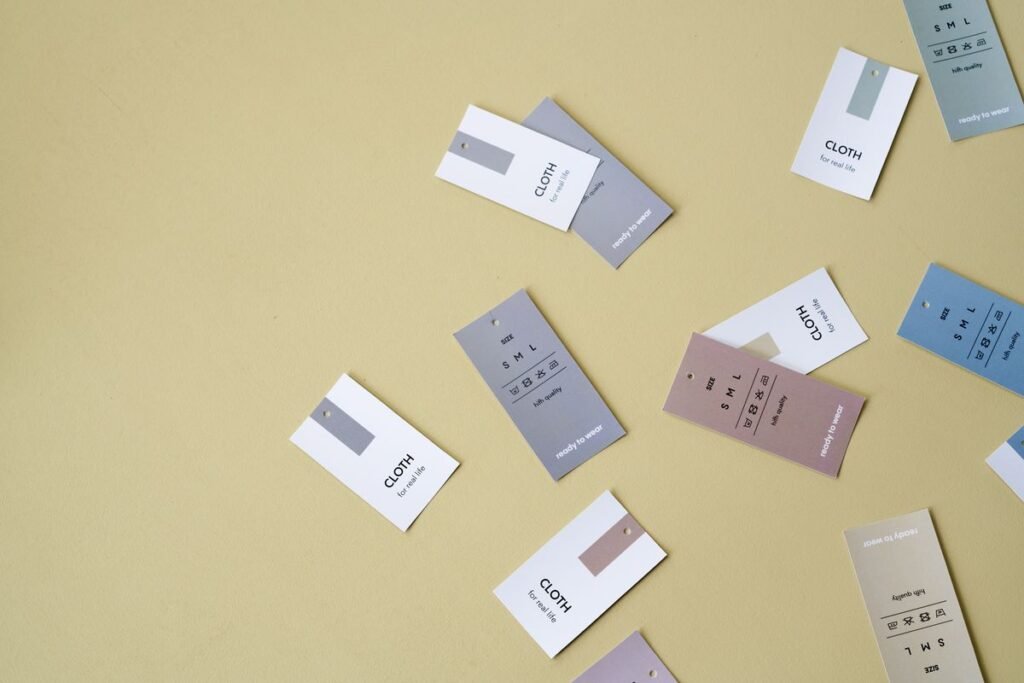
A well-designed woven label makes your brand look established from the very first piece. A poorly designed one — blurry text, clashing colors, the wrong size — does the opposite. In this guide, you will learn the practical steps to design a custom woven clothing label: choosing the right size, keeping text legible, picking fonts and thread colors, selecting a fold, and preparing artwork your manufacturer can actually weave — plus the most common mistakes to avoid. Still deciding between woven and printed? Start with our woven label vs printed label comparison.
Step 1: Decide on the Right Label Size
Start by measuring where the label will go. Neck labels for t-shirts are commonly around 50 mm wide and 12–15 mm tall after folding, while care labels are usually smaller and narrower. Always design to the finished (folded) size, and remember that extra fabric is needed on each side for the fold allowance — the artwork area is smaller than the total fabric.
If in doubt, cut a paper mockup to size and pin it on a sample garment. A label that looks perfect on screen often feels too big or too small on the actual product.
Step 2: Keep Text and Logo Legible
A loom weaves with threads, not pixels, so woven labels have physical resolution limits. Keep brand names and text large enough to read at arm’s length, and simplify detailed logos — fine lines, tiny text, and intricate emblems tend to blur or fill in during weaving. As a general rule, if you have to squint at your design on screen at actual size, it is too detailed to weave cleanly.
Step 3: Choose a Readable Font
Bold, simple fonts weave best. Clean sans-serif typefaces hold their shape at small sizes, while thin serifs, script fonts, and condensed styles can break up or become unreadable. Avoid letter spacing that is too tight, and set all-caps text slightly larger than mixed-case text, since capitals need more room to stay clear. When in doubt, ask your manufacturer to review the font choice before production.
Step 4: Pick Thread Colors That Work Together
Most woven labels use a limited number of thread colors — and restraint looks better. Choose strong contrast between the background and the text (dark text on a light ground, or light text on a dark ground) so the brand name reads instantly. Provide color references from a standard system such as Pantone, or match shades from the manufacturer’s thread chart. Avoid gradients and photographic blends: weaving builds images from solid threads, so every color in your design becomes a separate thread.
Step 5: Select a Fold Type
The fold determines how the label is sewn into the garment and what the finished label looks like. The most common options are the center fold (folded in the middle and sewn into a seam — the classic neck label), the end fold (folded on the left and right, sewn flat like a badge), and the miter fold (folded into a loop with angled ends for a tailored look). State your preferred fold when you order, because it affects the finished size and the sewing method. For a full breakdown of every fold type with size guidance, see our woven label sizes and folds guide.
Step 6: Prepare Production-Ready Artwork
Send vector artwork whenever possible — AI, EPS, or PDF files with text converted to outlines scale perfectly and leave nothing to guesswork. If you only have a raster image (PNG or JPG), make sure it is high resolution and at least the actual label size. Include a note covering thread colors, the finished size, the fold type, and where the label will be sewn. Clean, complete artwork means fewer revisions and a faster turnaround.
Questions about your artwork? Contact Label Hub for guidance before you order.
Common Mistakes to Avoid
- Too much text. A label is not a business card — the brand name and logo are usually enough.
- Tiny or thin fonts that disappear in the weave.
- Low-resolution artwork that forces the manufacturer to guess at details.
- Gradients and photo effects that cannot be woven with solid threads.
- Forgetting the fold allowance, so text runs into the folded edge.
- Weak color contrast between the background and the lettering.
- Skipping a proof or sample before approving full production.
Frequently Asked Questions
What file format should I send for my woven label design?
Vector formats such as AI, EPS, or PDF (with fonts converted to outlines) are best. High-resolution PNG or JPG files also work if they are at least the actual size of the label.
How small can the text be on a woven label?
Keep text comfortably readable — as a general guideline, letters should be a few millimeters tall at minimum. Anything smaller risks blurring during weaving.
Can I use my full-color logo on a woven label?
You can, but each color becomes a separate thread, so simplifying a full-color logo to a few solid colors usually gives a cleaner, sharper woven result.
Do I need to add extra size for the fold?
Yes. Always specify the finished (folded) size and let the manufacturer add the fold allowance — or ask how much extra fabric your chosen fold type needs.
How many colors can a woven label have?
There is no hard limit, but fewer colors weave more cleanly and are generally more economical to produce. Most brand labels use a small handful of thread colors.
Ready to Create Your Label?
Send your design to Label Hub in Faisalabad, Pakistan, and we will turn it into a clean, professional woven label — reviewing your size, fonts, colors, and fold before anything goes to the loom. Share your logo and requirements through our start your design page or contact us to get started.
Ready to order? Browse our woven labels or start your design.




Leave a Reply